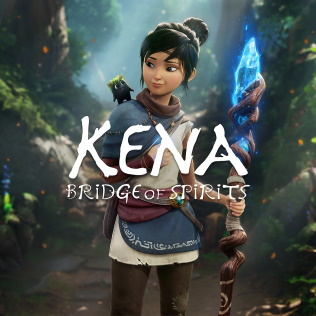
This guide outlines the best graphics settings for Kena: Bridge of Spirits to help you achieve a smooth gameplay experience without sacrificing the game’s beautiful visual style. Whether you’re aiming for high FPS or visual fidelity, these recommendations strike the right balance.
Field of View & Motion Blur
- Field of View (FOV): This setting has no measurable performance impact. Set it based on personal preference.
- Motion Blur: Aesthetic preference. It complements the game’s cinematic style, but disabling it may gain 1–2 FPS and sharpen visuals.
Volumetric Fog & Ambient Occlusion
- Volumetric Fog: Visually subtle, but expensive in performance.
🔧 Recommended Setting: Low - Ambient Occlusion: The visual improvement is minimal, and performance cost is high.
🔧 Recommended Setting: Low
Post Processing & Anti-Aliasing
- Post Processing: Affects film grain, chromatic aberration, and bloom effects.
- Ultra/High: Adds dramatic visual effects but can feel overly stylized.
- Medium/Low: Reduces visual clutter and enhances clarity.
- 🔧 Recommended Setting: Low for sharp, clean visuals or High if you prefer smooth anti-aliasing.
- Anti-Aliasing: Impacts edge smoothness.
- 🔧 Recommended: Low for crisper edges, High for softer, less jagged visuals.
Texture Quality & Foliage Density
- Texture Quality: Most modern GPUs handle Ultra without issue. Only reduce to Low if you have under 2GB of VRAM.
🔧 Recommended Setting: Ultra - Foliage Density: Little to no effect on performance.
🔧 Recommended Setting: Ultra, unless on a very low-end system.
Shadows & Performance Optimization
- Shadows: A major performance factor.
- High/Ultra: Sharp shadows with little benefit over Medium.
- Medium: Best balance between quality and performance.
- Low: May significantly reduce visual depth and immersion.
🔧 Recommended Setting: Medium for a potential ~20 FPS gain.
Resolution Scale & Performance Tips
- Resolution Scale: If you need a major performance boost, lower the scale (e.g., 90–95%). Combine with higher Post Processing to retain visual smoothness.
- Overall FPS Gain: These optimized settings can deliver up to a 54% performance increase compared to the Ultra preset.
✅ Quick Recap of Recommended Settings
| Setting | Recommended |
|---|---|
| Field of View | Personal Choice |
| Motion Blur | Off |
| Volumetric Fog | Low |
| Ambient Occlusion | Low |
| Post Processing | Low or High |
| Anti-Aliasing | Low or High |
| Texture Quality | Ultra |
| Foliage Density | Ultra |
| Shadows | Medium |
| Resolution Scale | ~90–100% |
With these settings, you’ll maintain the game’s stunning visuals while improving responsiveness and frame rate—ensuring a smoother, more enjoyable adventure with Kena and the Rot.



 My Gaming Tutorials
Leave a comment