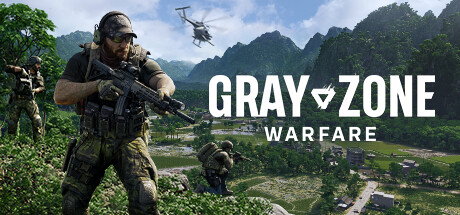
Gray Zone Warfare is a tactical FPS with PVEVP extraction mechanics, offering a hardcore experience that blends survival, strategy, and high-stakes combat. If you’re new to the game, this guide covers everything you need to know to get started, from choosing your faction to mastering combat, looting, and survival mechanics.
Understanding Gray Zone Warfare
Before jumping in, it’s important to understand the core mechanics of the game:
- Tactical FPS – Gunfights are realistic and deadly.
- PVEVP Extraction – You’ll fight both AI enemies and other players.
- Loot & Extract – Gather weapons, gear, and resources, then extract to keep them.
- Factions & Teams – Choose a faction, squad up, and work together.
Now let’s break everything down in detail.
Choosing Your Faction
The faction you choose is permanent (unless you restart), so choose carefully!
- Determines your spawn location on the map.
- Limits who you can squad with – You cannot play with friends in different factions.
- Friendly fire is punished – Killing faction members can get you reported.
💡 Tip: Before starting, coordinate with friends so you all pick the same faction and can squad up together.
The Basics: How to Play
1. Entering the World
- Choose a landing zone (LZ) to deploy from your faction base.
- Complete tasks, loot buildings, and eliminate enemies to gather resources.
- Extract by returning to your base or calling for a helicopter pickup.
2. Looting & Extraction
- Search buildings, AI enemies, and player corpses for valuable loot.
- Fill your backpack with items to extract and store in your base.
- Safe Lock Box: Items stored here are safe even if you die.
- If you die, you drop everything except what’s in your Safe Lock Box.
💡 Tip: Always put valuable loot in the Safe Lock Box before heading into combat!
3. Death & Loot Recovery
- If AI enemies kill you, your loot remains on your body.
- If a player kills you, they can loot your corpse.
- If you die a second time, your first body despawns.
- Friend Strategy: If playing in a squad, a teammate can drop your loot on the ground so it stays even if your body disappears.
Managing Your Character & Gear
Access the Tab Menu for key game functions:
- Character Page: Manage weapons, gear, backpack, and safe box.
- Map: See faction members, objectives, and unlock new LZs.
- Vendors: Buy and sell gear.
- Tasks: Track missions for XP, rewards, and reputation.
Essential Equipment Slots
- Primary & Secondary Weapons – Your main combat tools.
- Helmet – Protects against headshots.
- Headphones – Boosts sound awareness.
- Body Armor & Plates – Reduces damage.
- Backpack, Belt, & Pockets – Stores loot & ammo.
- Safe Lock Box – Protects items even if you die.
💡 Tip: Use R to rotate items for efficient inventory management.
Combat Tips & Weapon Handling
1. Gunplay Basics
- Headshots are instant kills, but body shots vary based on armor.
- Press V to check ammo in your magazine.
- Press B to switch fire modes (single, burst, full-auto).
- Hold Left Alt + Press V for a full weapon check (ammo count, chamber status, fire mode).
2. Movement & Stamina
- Running drains stamina and makes noise.
- Sprint in short bursts to avoid exhaustion.
- C to crouch, X to go prone, Z for push-to-talk.
- Control + Scroll Wheel adjusts crouch height dynamically.
3. Weapon Attachments
- Use attachments to customize weapons for better accuracy, recoil, and range.
- Scopes like ACOGs require mounts before they can be attached.
- Early game tip: Loot AKs and SKSs from AI enemies—they have plentiful ammo & mags.
Healing & Survival Mechanics
1. Health & Injuries
- Blood bar = HP – Keep it full to avoid death.
- Low hydration & energy? Eat & drink items found in the world.
- Radiation & Intoxication – Requires special meds to cure.
2. Checking & Treating Injuries
- Bleeding? Use a bandage.
- Headache? Use painkillers.
- More severe conditions require stronger meds.
💡 Tip: Coughing, heavy breathing, or limping can reveal your position to enemies. Heal ASAP!
Exploring & Extracting
Using the Map & LZs
- Open the map tab to see faction members & locations.
- Zoom in to see detailed area names.
- Unlock new Landing Zones (LZs) for faster travel.
Calling Helicopter Transport
- Click on an LZ and Call Transport to summon a helicopter.
- A timer starts—board the chopper before it leaves.
- To extract, call transport back to base from the nearest LZ.
💡 Tip: Always plan extraction points before heading into combat.
Tasks & Vendors: How to Progress
1. Completing Tasks for Vendors
- Tasks give money, gear, and reputation.
- Go to the Vendor tab → Tasks page to accept & turn in quests.
- View active tasks under the Tasks tab.
2. Understanding Quest Locations
- Some tasks have grid coordinates to help find objectives.
- Others give vague descriptions—explore nearby if unsure.
- Example: Crash Site Quest
- Look near LZs south of gas stations for a burned helicopter.
- Search buildings for AI enemies & survivors to complete the task.
3. Quest Item Warning
- Quest items disappear on death.
- If you die before extracting, you’ll have to collect them again.
- Check messages before deploying—some tasks require bringing special quest items with you.
Final Tips for Beginners
✅ Pick the same faction as friends to squad up. ✅ Always store valuables in the Safe Lock Box. ✅ Avoid unnecessary firefights early on—focus on looting & tasks. ✅ Use AI enemies’ weapons & ammo early game to save resources. ✅ Call transport to extract safely—don’t risk long walks. ✅ Learn the map—exploration is key to success!
Now you’re ready to dominate Gray Zone Warfare with these beginner tips! If you found this guide helpful, share your own tips below and stay tuned for more GZW strategies!



 My Gaming Tutorials
Leave a comment