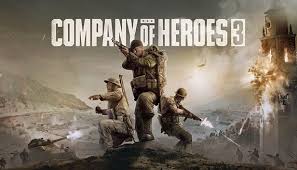
Company of Heroes 3 rewards players who master micro-level mechanics, allowing them to optimize unit efficiency, maximize battlefield control, and gain small advantages that add up over time. This guide covers advanced micro tips that will help refine your gameplay and give you an edge in combat.
Engineer Efficiency and Repair Optimization
- Use Low-Health Engineers for Non-Combat Tasks In Company of Heroes 3, the number of squad members does not affect the speed of building or repairing structures. If you have low-strength engineer squads, assign them to these tasks instead of reinforcing them, especially when nearing 100 population capacity to squeeze in more effective combat units.
- Repair While Vehicles Are Moving Engineers can repair vehicles while they are in motion, as long as the initial repair icon appears. This is extremely useful for slow-moving tanks, especially when suffering engine damage. Keep the engineers within an eight-range radius of the vehicle to maintain repairs while on the move.
- Use Smoke for Safer Repairs Vehicles with smoke launchers can help protect engineers while they are repairing. However, keep in mind that engineers take double damage and are twice as easy to hit when repairing, making them vulnerable to enemy fire.
Targeting Mechanics and Right-Click Priorities
- Targeting Engineers Behind Vehicles Due to Company of Heroes 3’s right-click priority system, right-clicking enemy infantry near a vehicle often results in targeting the vehicle instead. This makes it difficult to target engineers repairing a vehicle. Work around this issue by clicking at their feet rather than directly on them. Alternatively, target their decorator (icon), but note that the targetable area is larger than the visual marker, so click slightly outside of it for better accuracy.
- Using Stop Command for Auto-Targeting If small arms and anti-tank weapons are mixed in a squad, using the Stop command (default: S) allows the unit to automatically target the most suitable enemy:
- Small arms prioritize infantry.
- Anti-tank weapons focus on vehicles. This prevents unnecessary micromanagement while ensuring each weapon fires at the appropriate target.
Recovery Vehicles and Mid-Combat Repairs
- Durable Recovery Vehicles Can Repair in Combat Unlike regular engineers, recovery vehicles do not take extra damage while repairing during combat. This makes them invaluable for repairing tanks during engagements, helping maintain superior durability in prolonged fights.
- Queue Repair and Re-Enter Commands When repairing a flamethrower-equipped 250 half-track, use Shift + Ctrl + Right Click to queue a repair command followed by a re-enter command. This ensures the pioneers re-enter immediately after repairs, reducing downtime.
Transport and Anti-Tank Squad Targeting
- Prioritize Vehicles Before Entering a Transport If you’re loading an anti-tank squad (e.g., Panzergrenadiers) into an open-top transport, activate “Prioritize Vehicles” before loading them. This prevents them from wasting shots on infantry. If the squad is already inside, select it via Tab and enable Prioritize Vehicles before selecting the transport again.
- Managing Retreat and Reverse Hotkeys in Mixed Groups When selecting both infantry and vehicles, the Retreat hotkey for infantry (default: R) remains the same, but its relocation depends on the selected unit’s abilities:
- If a unit has Attack Ground, Retreat is reassigned to A.
- If no units have Attack Ground, Retreat moves to E.
- Vehicles always reverse with R in a mixed group. Use Tab to cycle through selected units and execute retreat or reverse commands correctly.
Retreating Safely and Buffing Escape Speed
- Using Captain’s Flanking Maneuver for Faster Retreats If a squad is at risk of being wiped out during a retreat, use the Captain’s Flanking Maneuver ability before or during their escape. This grants a speed boost and makes them harder to hit, increasing their survival chances. This ability can also be used on teammate units, making it valuable for coordinated team play.
- Forward Retreat with “Rally to Me” For US Forces, the Captain’s “Rally to Me” ability allows units to retreat to the captain’s position instead of the main base. This is useful when playing on larger maps, keeping retreat times short and frontlines reinforced. The cooldown starts at 120 seconds but reduces to 96 seconds at Veteran 1 and 67 seconds at Veteran 3.
Special Abilities and Targeting Tricks
- Knife Throw Can Hit Retreating Squads The SSF Commandos’ “Knife Throw” ability can be used to guarantee a hit on retreating squads. Since it has 2 accuracy, it will always hit non-veteran squads, even while they are retreating. It also has 25 penetration, meaning it bypasses body armor.
- Optimal Knife Throw Targeting
- If the enemy squad is retreating, target a middle-positioned model to avoid overkilling a wounded unit.
- If the fight has just started, target a front-line model to quickly reduce enemy squad numbers.
- Australian Light Infantry Sharpshooter The Australian Light Infantry Sharpshooter ability follows a similar targeting mechanic as Knife Throw. Use the same principles when selecting targets.
Final Thoughts
By mastering these micro tips, you can dramatically improve your unit efficiency, optimize engagements, and make the most out of advanced mechanics in Company of Heroes 3:
- Assign low-health engineers to safe repairs and building tasks.
- Repair vehicles while moving to minimize downtime.
- Use smoke to protect engineers but be cautious of their increased vulnerability.
- Manually target engineers repairing vehicles for greater accuracy.
- Utilize “Stop” command for automatic weapon prioritization.
- Use durable recovery vehicles for in-combat repairs.
- Set “Prioritize Vehicles” before entering transports for AT squads.
- Use Captain’s “Flanking Maneuver” to buff retreat speed.
- Take advantage of “Rally to Me” for forward retreat points.
- Leverage Knife Throw and Sharpshooter abilities for guaranteed hits on key targets.
Implementing these techniques will help you refine your tactical approach, gain efficiency in micro-management, and elevate your performance in battle. Keep practicing, and dominate the battlefield with superior control!



 My Gaming Tutorials
Leave a comment