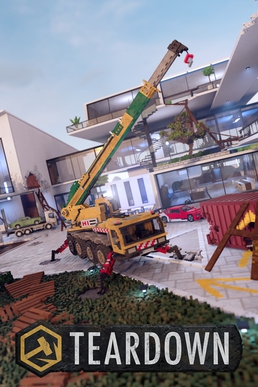
In Teardown, chaos must always be carefully curated. The mission “Power Outage” exemplifies this delicate balance between destruction and precision. What begins as a simple task of bomb placement turns into a sophisticated operation that demands smart planning, quick thinking, and some solid rocket aim. This guide walks through a reliable strategy that can help players complete the objective efficiently while leaving room for optimization and experimentation.
1. Understanding the Objective and Initial Setup
You start with a bomb that needs to be transported and used. The bomb begins in your truck and must be taken to a precise location along green walkways, slightly to the middle-left section of the map. The boat plays a central role here. Start by dragging the bomb from your truck down to the boat and use a plank to hold the bomb securely in place during the ride.
Once you reach the target shore, break the plank and carry the bomb up via a gently sloped plank ramp. While it’s possible to drag the bomb on top of the walkway directly, it’s significantly less accurate and clumsier. The planks here are used not just for moving the bomb, but also for easing your own movement across tight spaces. It’s a small detail, but the time saved adds up fast.
2. Rocket Shot Alignment and Building Modifications
The first shot you’ll make is near a yellow marker. You don’t need to be pixel-perfect with your positioning, but this mark gives you a general idea. From there, line up your rocket launcher and aim toward the red-and-white crane-like structure. The target is the first horizontal line—adjust based on practice runs to account for the rocket’s natural drop.
The building facing this shot can be slightly modified. Blowing off the side of the building or removing specific sections of roof will improve your line of sight and buy you a couple of seconds. That said, if you’re short on planks or explosives, you can still complete the mission without these enhancements. Just know they’re available tools.
You might also consider clearing out a wall before placing any planks in the path to maintain a straight shot. This is optional, but again, it’s a speed-runner’s trick for slicing away wasted movement.
3. Clearing the Middle Building and Strategic Use of Resources
The middle building should be your next major concern. To get a clean rocket shot into the generator, the entire centerneeds to be gutted. This process will demand a healthy supply of rockets and bombs—make sure you’ve unlocked and stocked these beforehand.
There’s little room for your sledgehammer here, so your shotgun might come in handy to supplement the destruction. Once cleared, move to the roof, line up your shot, and fire into the generator zone. Every generator you destroy this way gets you closer to mission completion.
Planks are again used to traverse broken or high areas quickly, but feel free to skip them if you’re confident in your movement. Efficiency is everything, but so is consistency. If you’re messing up jumps repeatedly, a plank might be the better choice.
4. Avoid Frame Rate Disasters and Plan Your Tree Strategy
One issue highlighted in the run is a tree that, when broken, causes frame rate drops. Depending on your hardware, this may or may not be a concern. If your PC is on the lower end, avoid destroying the tree to keep performance stable. But if you’ve got the processing power, you can adjust your path accordingly and consider using that space as an opportunity for another shot.
5. Final Generator and the Clean Finish
The last rocket needs to be fired at a generator located just beneath a tree, near a vehicle. You’ll need to line up your angle carefully and clear out all debris beforehand. This final part of the mission often includes using leftover tools—cranes, dump trucks, and your remaining explosives—to carve out a clean line of sight.
It’s worth noting that there’s an alternative method. Instead of walking back down and stopping near the tree, you could try firing a shot from the rooftop through a wall directly into the final generator. It’s a more difficult shot, but if successful, it eliminates the need to stop and change elevation—saving precious seconds. That optimization is left to the player’s discretion.
Also, if one of your vehicles breaks, a backup car is nearby, which can keep your run intact. It’s a small but critical safety net.
6. Executing the Run: A Step-by-Step Overview
With everything in place, quick save before starting. Interact with the panel to trigger the mission (it’s around 10 beeps before full alarm), and begin your run. Fire your first rocket into the marked generator. Frame rate might take a hit here due to particle effects or tree physics, so brace for lag.
Next, follow the prepared plank paths and fire into the second target as you move. Continue to shoot as you go, targeting each generator with pre-aimed angles. If necessary, adjust your rocket shots slightly upward to compensate for drop.
Your final movement involves jumping on a boat or navigating through the cleared building paths to make your last shot. Ideally, you should finish with around 30 seconds to spare, allowing some cushion for mistakes or mistimed shots.
7. Room for Optimization
This route isn’t the only way to complete “Power Outage”—and it might not even be the fastest. But it is consistent, efficient, and allows a lot of room to tweak based on your play style. Perhaps you’ll find a cleaner angle for that final generator, or maybe you’ll discover a clever plank skip to bypass the boat. That’s the beauty of Teardown—your path is yours to build and destroy.
If you’re happy with this setup, it can serve as a great template to iterate on. The mission is fun and worth replaying. With more familiarity, you’ll shave off seconds, master tougher angles, and possibly eliminate steps altogether.
Whether you’re new to Teardown or just hunting for more efficient mission clears, this walkthrough gives you a solid foothold in the intricacies of Power Outage. Don’t forget to save often, rehearse your shots, and always be ready to adapt. See you in the rubble!



 My Gaming Tutorials
Leave a comment