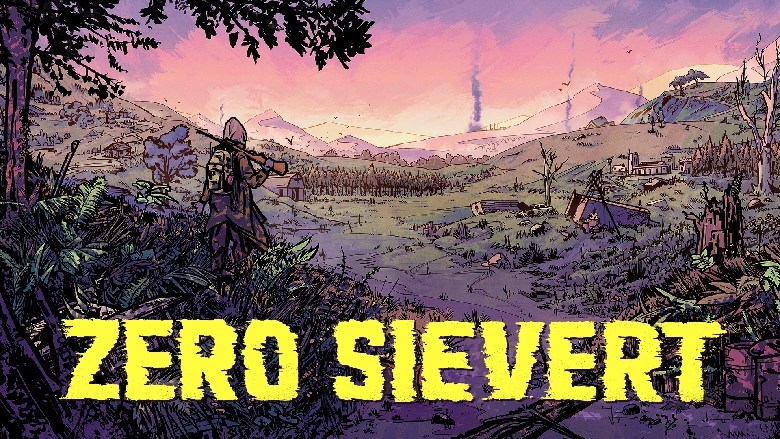
With the release of version 1.0, Zero Sievert has finally reached a fully fleshed-out state, and that means both returning players and absolute newcomers are diving into a more polished and complex world than ever before. Whether you’ve taken a break since early access or you’re just stepping into the irradiated wilderness of Zov for the first time, this guide is designed to walk you through the essentials—and a few deeper tips—to give you the strongest start possible.
Picking Your Starting Loadout and Difficulty
When booting up the game, your first big decisions revolve around difficulty settings and your initial gear. Zero Sievertisn’t kind to the unprepared, and your first few runs will likely end in failure. That’s okay—it’s part of the experience. Start with Rookie difficulty to learn the ropes. Once you’ve found your rhythm, Survivor mode will test your mettle with a more punishing edge.
You can tweak settings like what happens to your inventory on death—vital for deciding just how brutal you want your run to be. As for loadouts, personal preference plays a role, but Loadout 1 and Loadout 4 are excellent starting choices, thanks to their reliable long-range weaponry. Avoid bolt-action rifles like the Mosen early on; while powerful, they falter when wolves or ghouls rush you in packs.
Getting Started at the Bunker
Your first destination in Zov is the Bunker—a safe haven and hub. Speak to the Barman and Networker. The Barman’s quests form the game’s main narrative arc for now, while the Networker offers side missions that build faction reputation and yield useful items or cash.
Trading is straightforward: any vendor gives the same price, and their available cash is listed in the bottom right of the trading panel. Before you set out on a mission, learn the layout of the Bunker. To the top right, you’ll find beds where you can rest. Resting replenishes energy (which drops after missions), and helps you stay ready for future excursions.
Managing Status, Supplies, and Survival
Keep an eye on your four status icons: energy, hunger, thirst, and radiation. You can eat or drink items from your inventory, or pay the Barman to restore hunger/thirst cheaply. For radiation or health issues, visit the Doctor in the lower right of the Bunker—but beware, his services aren’t cheap.
Before you leave the Bunker:
- Drop excess gear in your stash (bottom-left room).
- Equip your best armor and fully load your weapons.
- Assign healing items to your hotbar: bandages for bleeding, brown medkits for health, and white kits for wounds.
First Expeditions and Wildlife Threats
Out in the wild, Zero Sievert’s seemingly casual pixel style hides a demanding survival-shooter. Take it slow. Cover matters. So does sound.
Your biggest threat early on? Wolves. Not Bandits. These aggressive packs charge without hesitation. Listen for howling—it’s your warning to prepare or retreat. Spot them early and take accurate shots from range to pick them off before they swarm you. Hesitation can cost you your life.
Bandits, by contrast, are easier to manage. They lack accuracy at long range, so use cover and distance to your advantage. Engage smartly, lean out to shoot, and duck back to minimize incoming damage. In dense areas, this strategy is essential.
Friend or Foe? Factions and Identification
Not every human is hostile. Recognize friendly factions by their clothing:
- No masks or helmets = Friendly locals.
- Hazmat suits = Scientists (neutral).
- Green uniforms + red/orange visors = Green Army (neutral).
- Red uniforms + blue visors = Crimson Corp (neutral at first).
Hostiles are easy to spot:
- Masks = Bandits.
- Brown helmets = Hunters.
Attacking friendly factions reduces your reputation. Too many kills, and they’ll treat you as an enemy. Choose your fights wisely.
Understanding the Crosshair System
Combat in Zero Sievert isn’t just point-and-shoot. Your crosshair tells a story:
- Wide spread = lower accuracy.
- Red dot in center = obstacle in your shot.
- Red outline = target is out of optimal range (reduced damage).
- Red cross = target is too far; your weapon won’t deal damage.
Use scopes for instant-hit shots but sacrifice peripheral vision. Learn your weapons’ ranges and aim smart.
Objectives, Quests, and Finding Loot
Progress is tied heavily to completing quests. You can right-click the map to place custom markers, which appear on your HUD. These keep you oriented while completing missions.
After big fights, don’t forget to loot. Lost track of bodies? Look for crows circling overhead—they’ll lead you to fallen foes packed with loot.
Anomalies, Crystals, and Bolts
In the early game, you’ll encounter chemical and fire anomalies. These deadly zones hide valuable crystals you can sell for profit. Press G to throw a bolt—it’ll trigger anomalies and help you navigate safely to the loot. Slow, cautious movement is key.
Meeting Eagor (And a Crucial Choice)
If you find a lone man inside a house—it’s Eagor. Don’t shoot. He’ll offer a quest to kill a Green Army soldier who shot him. Completing this earns you a Tier 1 storage module and unlocks Eagor’s passive looting benefit. He’ll start scavenging items for you every visit.
Alternatively, you can kill Eagor for the same reward via General Ovich’s quest—but you’ll lose his item collection perk. Think carefully.
Ammo Types and Inventory Management
Zero Sievert uses different ammo types:
- Hollow point: Great vs. wildlife and ghouls.
- Standard: Fine for Bandits.
- Armor piercing: Save for armored enemies.
Cycle ammo by pressing Y, scrolling to select, and pressing Y again. Want to split ammo stacks? Click-drag, press Ctrl, and release.
Airdrops and Contested Zones
Hear a plane? Open your map. An airdrop zone will be marked. These contain high-tier loot, but come with two risks:
- Heavy enemy presence.
- Diminishing loot over time—get there fast!
Gear Upgrades: Armor and Backpacks
Your top early upgrades should be armor and a better backpack. Buy from the Barman for decent prices. Avoid early field repairs—buying gives you better gear out the gate.
After 5–6 good runs, you should afford Hunter armor (class 4) and a ZX OP 500 backpack—a great balance of speed and carry capacity. The Doctor also sells gear, but it’s pricey and better suited for later stages.
Note: Doctor can only repair class 3 armor or lower. If you get class 4, be ready to repair it yourself—or build a workshop module.
Don’t Forget a Headlamp
A headlamp is a cheap, essential purchase. Zero Sievert can get dark, even during the day in places like the Ghoul Caves. A flashlight could be the difference between survival and death.
Using Your PDA and Tracking Progress
Press J to open your PDA. It has key menus:
- Map
- Quest Log
- Stats Page
- Player Perks
- Weapon Skills
- Module Installation
- Faction Reputation
Level up? Visit the Perks tab. Skills here offer huge benefits—like more carry weight, reduced radiation buildup, or real-time item values. Weapon skills improve as you use specific guns.
In the Modules tab, plan out your Bunker layout. Then craft modules at your workbench using found materials. Use the “Track” function to mark needed components, helping you prioritize loot.
Start with a Bedroom module—it boosts healing and reduces food/water costs when resting. You’ll get a free Storage module through a quest soon, so don’t waste resources early.
Final Thoughts for Fresh Survivors
Success in Zero Sievert doesn’t come from raw firepower—it comes from preparation, caution, and smart decision-making. Learn the systems. Take it slow. Gear up gradually. Explore with purpose. And always, always listen for the wolves.
Good luck out there in Zov, rookie. You’ll need it.



 My Gaming Tutorials
Leave a comment