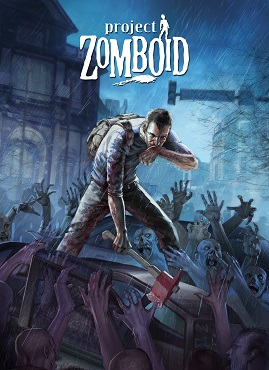
Project Zomboid is already a deep and challenging survival experience, but with the right mods, you can make your time in Knox Country smoother, smarter, and far more enjoyable. Here are 33 quality of life mods every player should consider installing, along with tips and tricks on how they change the game.
1. Common Sense
Adds logical functionality like opening canned food with knives and equipping items directly from the floor. You can also pry open doors and windows if you have the right tools.
2. I Don’t Need a Lighter
Adds realistic smoking methods like using a stove, car lighter, or even another smoker.
3. Clear Descriptions for Moodles
Shows precise debuffs like “-80% melee damage” so you know exactly how moodles are affecting you.
4. Read While Walking
Lets you multitask while reading, ideal for multiplayer where time can’t be fast-forwarded.
Shop now and enjoy up to 50% off your favorite gaming gear at Amazon!

5. Backpack Borders
Adds visible borders to container buttons in inventory UI for improved visibility.
6. Proximity Inventory
Displays a unified inventory window for all nearby containers and corpses.
7. Map Symbol Size Slider
Allows you to resize symbols on the map for better visibility or minimalism.
8. Kill Count Plus
Breaks down zombie kills by method: melee, fire, car, firearms, etc.
9. More Descriptions for Traits
Provides detailed trait information during character creation.
10. Weapon Condition Indicator
Shows weapon condition directly on the hotbar to avoid mid-combat surprises.
11. Extra Map Symbols
Expands the range of available symbols for more creative or detailed mapping.
12. Better Sorting
Adds logical categories to the inventory system, especially helpful for hoarders.
13. Better Lockpicking
Adds bobby pin and crowbar mini-games for breaking into locked doors and vehicles.
14. Car Dashboard Radio Button
Adds a one-click button to access radio settings from inside a vehicle.
15. Clean Dirt
Allows you to clean dirt and graffiti from floors and walls using bleach and a mop.
16. Draw on the Map
Adds freehand drawing to the in-game map for unique annotations.
17. More Starting Locations
Adds spawn points in places like Dixie, Valley Station, and March Ridge.
18. Fuel Side Indicator
Adds a visual arrow to show which side of the car the gas tank is on.
19. Generator Time Remaining
Displays exact remaining hours/days of fuel left in a generator.
20. Map Legend UI
Adds a color-coded map legend for understanding POI types more easily.
21. Take Jug from Water Dispenser
Lets you grab the water jug from dispensers and use them for storage or gas.
22. Rain Cleans Blood
Lets rain naturally wash away blood, reducing the need for manual cleanup.
23. Titled Has Been Read
Marks whether you’ve started or completed a book, magazine, or map.
24. Easy Corpse Move
Streamlines the process of dumping multiple corpses using a quick radial option.
25. Players on Map
Shows multiplayer players on your in-game map.
26. Reorder Hotbar
Lets you rearrange your weapon and tool hotbar by drag-and-drop.
27. Reorder Containers
Allows you to re-sort backpacks and containers in your inventory view.
28. Swap It
Swaps items from hotbar to their previous storage location instead of inventory.
29. Choose Your Spawn
Lets you choose exact spawn coordinates using cell data from online map tools.
30. Bigger Character Avatar
Enlarges character avatar in the UI and character creation screen.
31. Dig Worms
Adds a simple right-click option to dig for worms, useful for fishing and trapping.
32. Extended Campfire
Adds new lightweight fire starters like twigs, wood chips, and dry grass.
33. Condition on Dash
Lets you check vehicle condition (engine, battery, fuel) by hovering over dash icons.
Final Tips
Combining these mods can turn your game from frustrating to finely tuned. Use “Read While Walking” and “Titled Has Been Read” together for better skill leveling. “Clear Description for Moodles”, “Weapon Condition Indicator,” and “Kill Count Plus” give vital real-time feedback that can keep your character alive longer. For multiplayer, “Players on Map” and “Choose Your Spawn” are essential.
Install them via the Steam Workshop or Mod Manager and make sure to adjust sandbox settings as needed for balance. Happy surviving!



 My Gaming Tutorials
Leave a comment