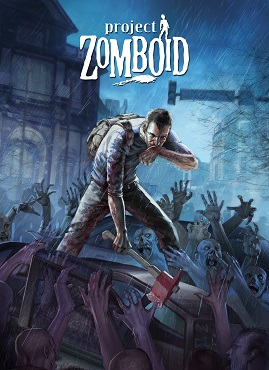
Project Zomboid doesn’t just throw you into a zombie apocalypse—it throws you in blindfolded, with a broken leg, and maybe a crowbar if you’re lucky. That’s part of its charm. It’s a game about making mistakes, learning from them, and ultimately embracing the inevitable: your death. But before that happens, this beginner guide is here to give you a fighting chance. Whether you’re getting constantly mauled or afraid to open a door, these ten essential tips will ease your first steps into Zomboid’s decaying world.
Tip #0: Do the Tutorial
Let’s get this out of the way—play the tutorial. It takes five minutes and shows you the basic mechanics like movement, looting, combat, and basic wound treatment. Skipping it might sound fun if you’re going for that “raw” experience, but unless you want to end up like a certain streamer, save yourself the embarrassment and do the damn tutorial.
Shop now and enjoy up to 50% off your favorite gaming gear at Amazon!

Tip #1: Understand Infection Types
Not all infections are created equal. A common mistake beginners make is panicking when they see the word “infected” on a wound. Here’s the deal:
- Wound Infection = Not deadly. It just slows healing. You can clean it with alcohol wipes, bourbon, disinfectant, or antibiotics.
- Knox Infection = Deadly. This is the zombie virus.
The Knox Infection is invisible—you’ll know it’s coming when you start getting anxious, queasy, and then sick. From there, it’s game over. You’ll turn in roughly three days. Bites are 100% fatal, scratches give you a 25% chance, and lacerations about 75%—but only if they’re from zombies. Scrapes from trees or glass won’t zombify you.
Tip #2: Learn the Combat System
Combat is your bread and butter in Project Zomboid. Whether you’re pushing zombies, swinging a frying pan, or slicing with a knife, you’ll be in combat often. One simple setting can instantly help: change your aim outline setting to “Any Weapon.” This gives zombies a green outline when in melee range—no more guessing distances or swinging too early/late.
You’ll thank yourself the first time it saves you from stepping too close and getting bitten.
Tip #3: Don’t Walk Through Trees
You might think trekking through the woods is safe and stealthy. Think again. Even with Outdoorsman, you have a 1% chance to cut yourself on a tree, which sounds small—until it happens. A leg injury early on means limping, and limping means death.
Instead, right-click and use the “Walk To” command when navigating forests. It’s not perfect, but it helps avoid unnecessary injuries. Just be ready to stop it manually if zombies appear.
Tip #4: Accept Death as a Teacher
This is a harsh world, and you’re going to die. A lot. But that’s okay—Project Zomboid is about learning through failure. Each death should be a lesson. Maybe you learned not to sprint through bushes. Maybe you realized tree cuts suck. Or maybe your car engine stalled while zombies closed in. Welcome to Zomboid.
Tip #5: Avoid Guns—Especially Shotguns
Unless you’re armed to the teeth with ammo and a solid escape route, don’t use guns in single-player. Especially not shotguns.
- Shotguns have a sound radius of 100 tiles—that’s an entire neighborhood of zombies coming your way.
- Guns require skill. With 0 aim, you’ll miss a lot, and ammo is rare.
If you do insist on using guns, consider installing a silencer mod, which can drop noise by up to 80%. Some call it cheating. Others call it survival.
Tip #6: Don’t Sprint Unless You Have To
Jogging (Shift) is manageable. Full-blown Alt-sprint is a mistake.
- Drains endurance fast
- Makes noise, pulling more zombies
- Cuts your melee damage in half when tired
- Makes you trip on everything: fences, bushes, zombies, even air
Save your stamina for when it matters. If you can walk or jog, do that instead.
Tip #7: Drive Slower Than You Think
Driving is a great way to get around—and also a great way to die. Cars are fragile and prone to engine failure, especially when abused.
- Set cruise control using Shift+W (faster) and Shift+S (slower).
- Avoid speeding unless you like smashing into trees or buildings.
- Avoid off-roading unless necessary. It wrecks your tires and slows you down, especially with a trailer.
And here’s a clutch tip: if zombies are at your door and the engine won’t start, switch to the passenger seat and escape out the other side.
Tip #8: Don’t Be Afraid to Adjust Difficulty Settings
Project Zomboid is as hard as you let it be. In custom sandbox mode, you can:
- Lower zombie population
- Weaken zombie senses
- Turn off infection (zombie bites still hurt though)
There’s no shame in easing yourself in. Many experienced players started on low-population settings just to learn the ropes. Adjust the game to your comfort—your life expectancy will thank you.
Tip #9: Use the Project Zomboid Map Project
Whether it’s on your second monitor or a phone, the Project Zomboid map project is indispensable. Just search “Zomboid Map” and you’ll find it.
This interactive map tells you:
- Where buildings are
- Where hardware stores and gas stations are
- How to get to cities like Louisville
Playing without it is like looting blindfolded. Seriously, don’t skip this one.
Tip #10: Like the Video (Just Kidding)
The final, actual tip? Accept that Project Zomboid is a love-hate relationship. It will frustrate you, exhaust you, and probably insult you with glitchy audio while you’re trying to drive. But it’s also an incredible sandbox of learning, improvisation, and chaos.
And yes, sometimes the best thing you can do is click “Quit to Desktop”… but only after one more run.
Good luck out there, survivor.



 My Gaming Tutorials
Leave a comment