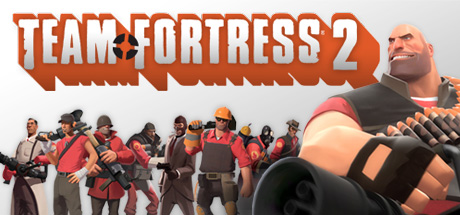
Every Team Fortress 2 player starts somewhere, and like with anything new, mistakes are inevitable. Whether you’re fresh into TF2 or returning after a long break, it’s easy to fall into bad habits that hinder your gameplay experience. The good news? Every single mistake you’re about to read has been made before—often by the very players now pointing them out. This guide is here to help you recognize and avoid five of the most common (and damaging) mistakes new players make, so you can start improving right away. Let’s dive in.
1. Keeping Mouse Acceleration Enabled
One of the most harmful settings you can have enabled is mouse acceleration. What does it do? In short, it adjusts your mouse sensitivity based on how fast you’re moving your mouse. That might sound cool in theory, but in practice it makes consistent aim nearly impossible.
Flick shots and tracking—the backbone of solid aim—become unreliable with constantly shifting sensitivity. For the best experience, disable mouse acceleration in your Windows settings and enable Raw Input in TF2’s game options. This ensures your mouse movements are 1:1 and predictable, which is exactly what you need to build consistent muscle memory.
Shop now on Amazon!
Save up to 50% on top Gaming Gear:
Gaming Headset
Gaming Mice
Mechanical Keyboards
Game Controllers
Gaming Chair
2. Playing with Default Field of View (FOV)
By default, TF2 sets your field of view to 70, which significantly narrows your visual awareness. With a restricted FOV, it feels like you’re zoomed in—and in a chaotic game like TF2, that tunnel vision can get you killed fast.
Scout players can jump over you, Soldiers can rocket jump onto ledges, and Spies can sneak up from behind. Having a wider FOV helps you react to all of that. Head to Video Settings and drag the FOV slider to its maximum value (90). Then, go into Advanced Settings and do the same for the Viewmodel FOV—this moves your weapon away from the center of your screen, making it less intrusive.
If you want to go even further, enable Minimized Viewmodels in the same menu. This pulls your weapon model lower, freeing up screen space and helping you better focus on enemies. You’ll be amazed how much of a difference this small change makes in combat visibility.
3. Not Enabling Hit Sounds
Hit sounds are a fantastic feature that often go overlooked. By default, they’re turned off—but enabling them is one of the best decisions you can make. When you deal damage, a hit sound plays, giving you instant auditory feedback.
You might think, “I can just look at the yellow damage numbers—why bother with more noise?” Well, consider this: enemies move quickly, may be out of your line of sight, or disappear behind walls. When you land a rocket behind a wall, you might not see the numbers, but you’ll hear the hit sound. It confirms that your shot landed and informs your next move.
Head into Advanced Settings and turn hit sounds on. You can even customize them to funny or satisfying audio clips to suit your style. Either way, it’s a tool that boosts your awareness and helps you react better in fast-paced situations.
4. Playing Exclusively in Casual Mode
Casual mode seems like the obvious place to start, right? It’s easy to join, full of players, and you get matched with others. But casual servers have significant downsides. If you’re a free-to-play user outside Asia, you’ll likely run into rampant aimbots, be unable to use voice or text chat, and have no control over server features like random crits.
The better alternative? Community servers. These servers are packed with perks: no aimbots, open chat systems, map rotation control, and even modes without random crits. You’ll find friendlier environments, old-school TF2 vibes, and more serious gameplay. Try servers like Uncletopia, Skial, or BlackWonder. Whether you’re learning, practicing, or just looking for a fair match, community servers are your best bet.
Honorable Mentions: Fix These Too
Before we hit the final big mistake, let’s quickly cover some other rookie errors worth avoiding:
- Not using a config: A good performance or graphics config (like Mastercomfig) can optimize hit registration and boost FPS. It’s easy to install and makes a noticeable difference.
- Not enabling stacking damage numbers: This setting combines individual damage ticks into one cumulative number, making it easier to track how much damage you’re dealing. Turn this on under Advanced Settings.
- Deleting achievement items: You only get one Gibus or Pyrovision Goggles, and once deleted, they’re gone for good. Many free-to-play users make this mistake thinking these are useless. Don’t be like that—keep them. They may be silly, but they’re also a badge of honor and, in some cases, permanently unobtainable.
5. Buying From the Mann Co. Store (The Wrong Way)
The single worst mistake new players make is spending money in the wrong places. Yes, buying keys or map stamps is fine, but purchasing weapons, cosmetics, or starter packs from the Mann Co. Store is a huge waste of money. The store markup is absurd compared to the community market.
Instead, go to scrap.tf and trade your duplicate weapons for ones you don’t own. You can even buy items with scrap metal—a much cheaper and more efficient method than spending real money. You can also borrow weapons temporarily from the store if you’re curious about them.
If you’re after cosmetics or taunts, trade with metal or check out third-party marketplaces like marketplace.tf where prices are far more reasonable. And whatever you do, do not fall for those “starter packs.” They contain mostly junk items that are nearly worthless on the market.
Wrapping Up
New players are bound to make mistakes, but that’s part of the learning process. Whether it’s leaving a setting on by default or spending money inefficiently, there’s always something to improve. By addressing these five major issues—and the bonus tips—you’re already putting yourself ahead of the curve. Now go tweak those settings, hop into a better server, and enjoy the ride. TF2 is a game with depth, personality, and endless replayability, and it gets better the more you learn. Good luck out there!



 My Gaming Tutorials
Leave a comment